Before leaving
Check the clinic queue
Patients can see whether the queue is open and plan with more confidence.
 UEUE IN
Clinic walkthrough · Klang Valley Alpha
UEUE IN
Clinic walkthrough · Klang Valley Alpha
A short walkthrough to forward to your team
See the whole clinic journey: check before leaving home, scan at the clinic, follow live progress, and manage the queue at the front desk.
Queue management, without the clipboard.
Ask about the clinic alphaNo app download · Opt-in WhatsApp updates when enabled · Works alongside your current process
One patient journey, four moments
Tap either short video when you want to see the screen move. Nothing plays automatically.
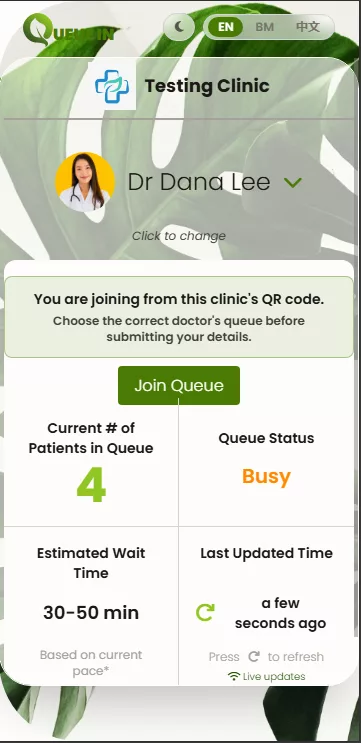
Patients can see whether the queue is open and plan with more confidence.
A QR code opens the join form in the browser. No app download required.

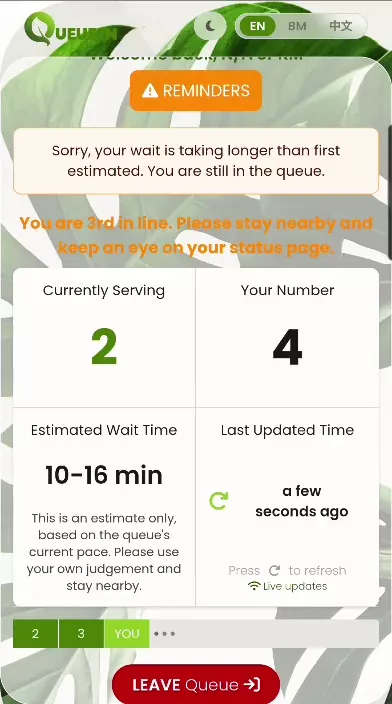
Patients see their place in line and can opt in to WhatsApp status updates when enabled for the clinic.
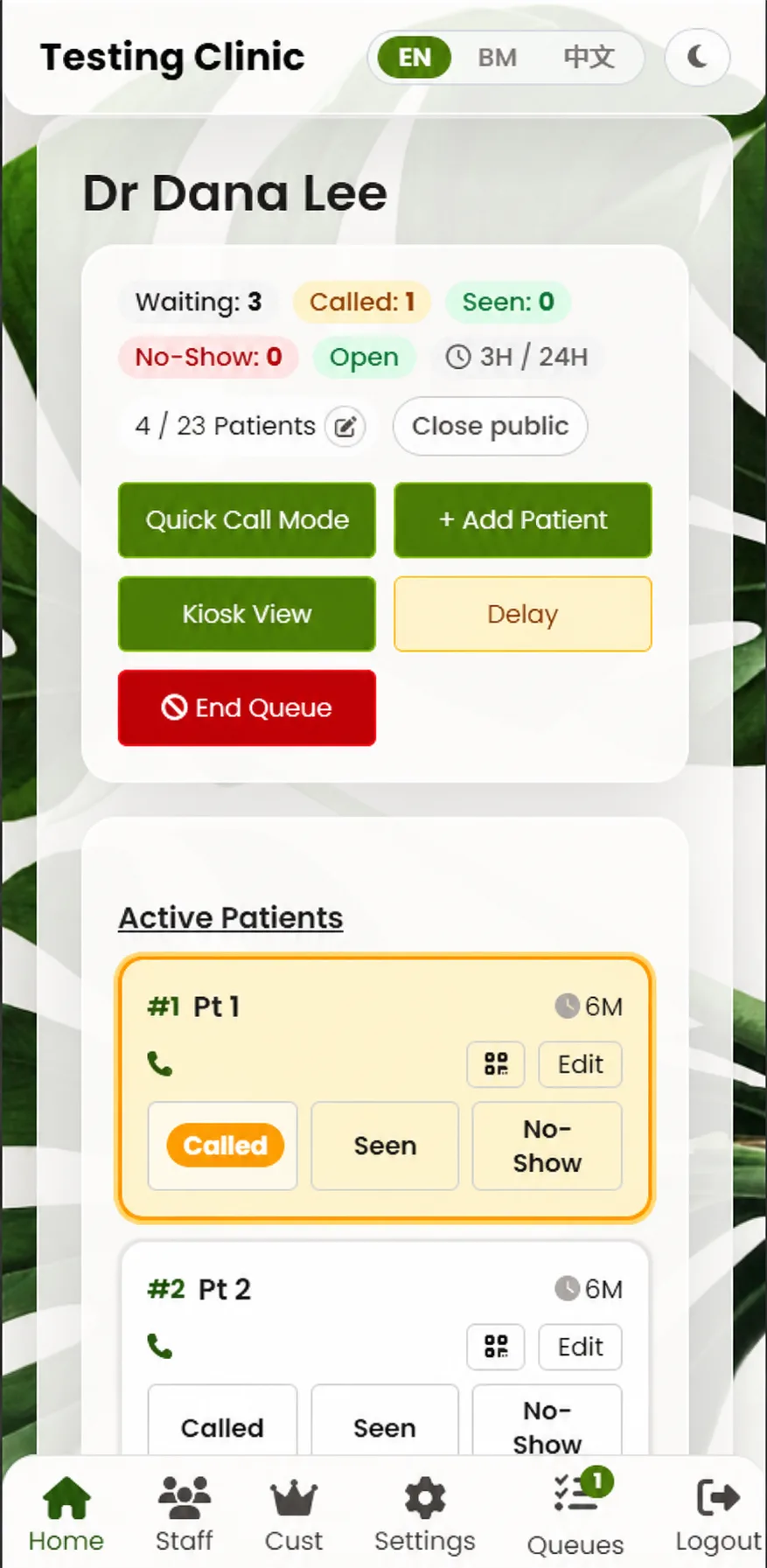
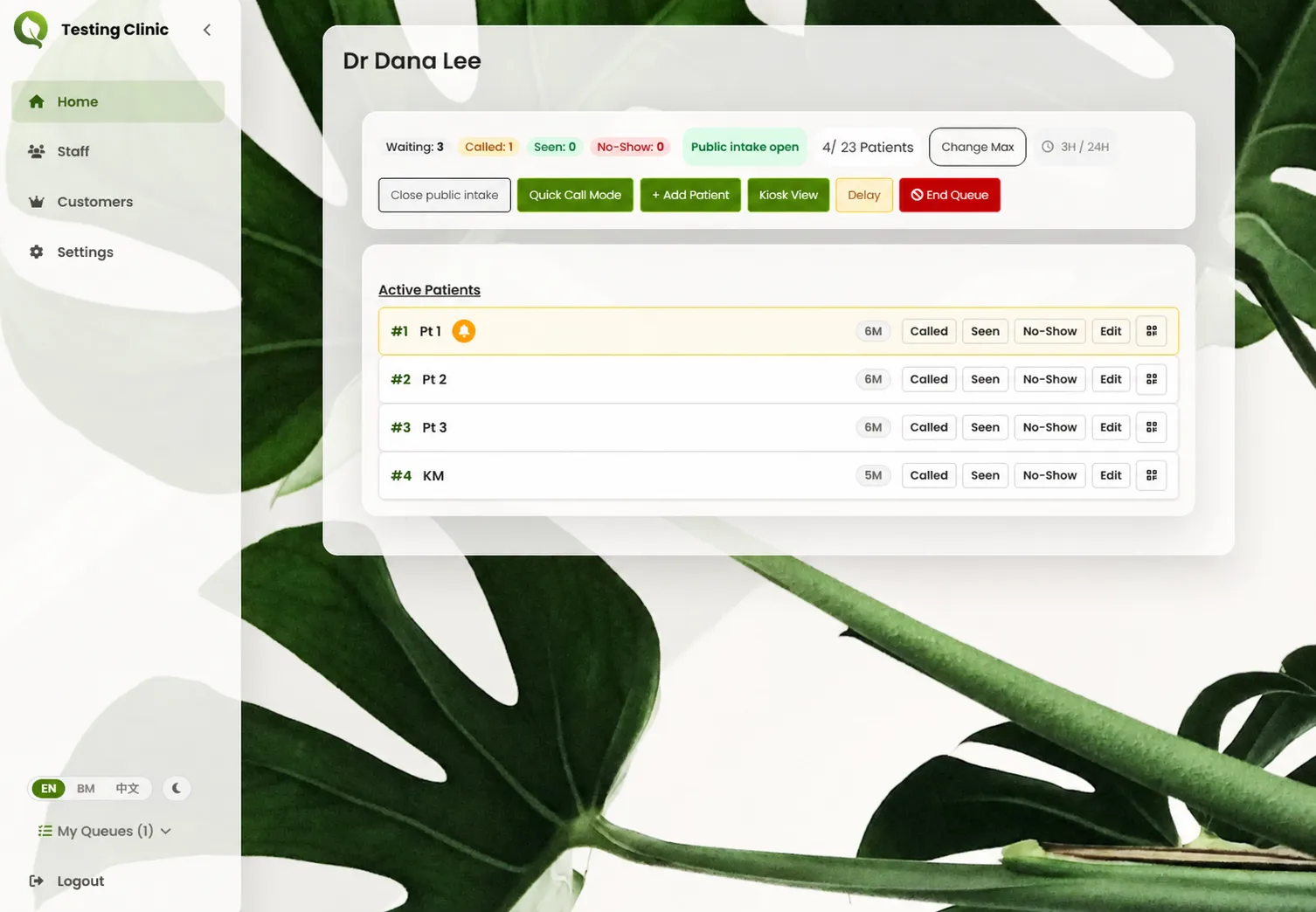
Staff see the queue, add a patient, call next, or share a delay from one simple view.
Works alongside your process
Front-desk staff can add a patient manually, so nobody is excluded from the queue.
The patient experience is available in English, Bahasa Malaysia, and Chinese.
The clinic alpha
We set everything up for you—account, queue, and printed QR signs—and train your staff in 15 minutes.
Common questions
No. QueueIn is a lightweight queue layer that can be tested alongside your clinic’s current process.
Staff can add them manually. Your existing front-desk process remains available as the fallback.
QueueIn is privacy-conscious and built with PDPA-style consent and data handling. It is for queue status—not medical records.
The first test is free for 2 paeds clinics. We will give you advance notice before we start charging.
We start with one busy session and set it up with your team. If it feels awkward, you can stop and continue with your current process.